Exness Registration 2026: How to Open an Exness Account & Sign Up
Writen By

Forex Trading Execution and Platform Performance Analyst
Analyzes trade execution Systems and platform performance across forex brokers.
Opening a trading account is the first and most important step for anyone looking to enter the world of online forex and CFD trading. Exness, a globally recognized broker known for its transparency, competitive spreads, and instant withdrawals, offers a fast and user-friendly registration process suitable for both beginners and experienced traders.
In this guide, you will learn exactly how to register, verify, and start your trading journey on Exness with confidence.
In this guide, you will learn exactly how to register, verify, and start your trading journey on Exness with confidence.
Exness Registration Guide (Web)
Register an Exness Account (Web)
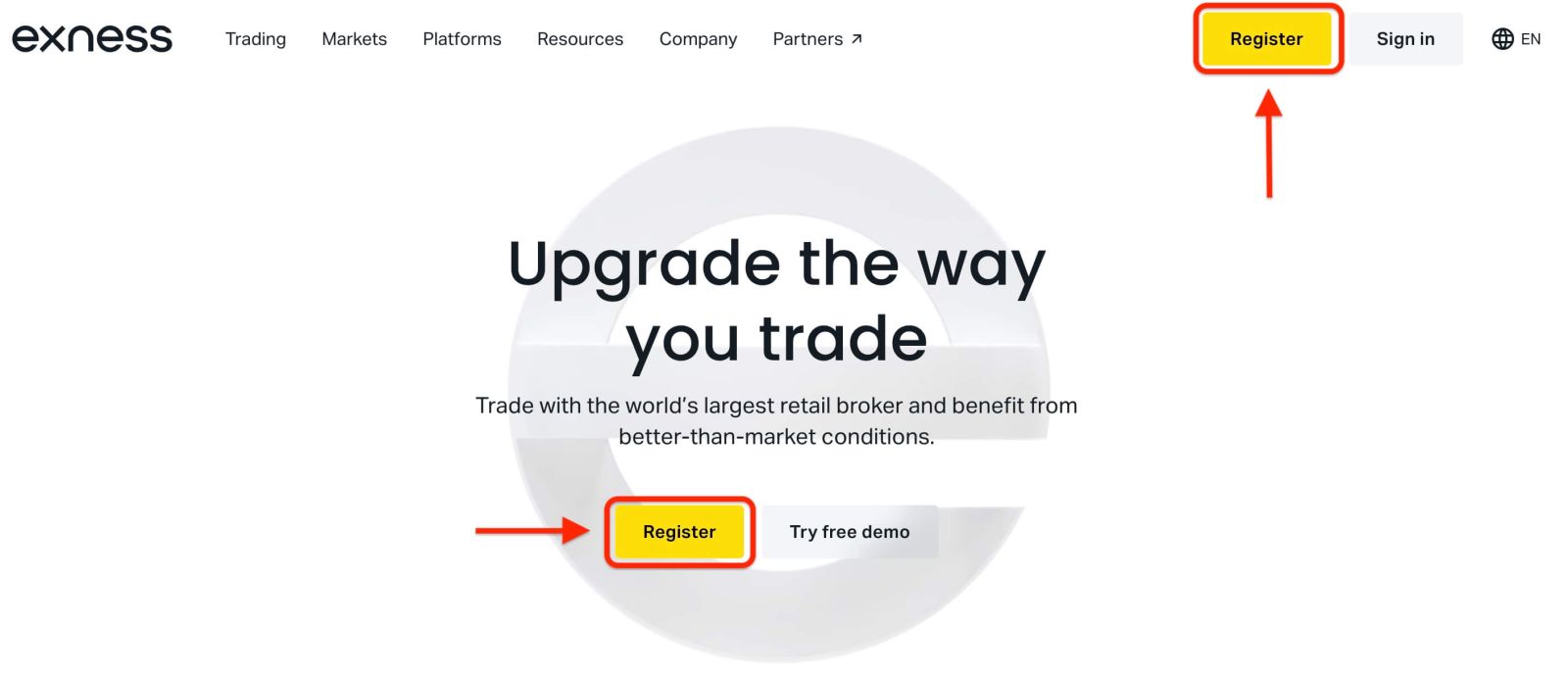
1. Visit the Exness WebsiteTo begin, go to the Exness homepage and click “Register”.
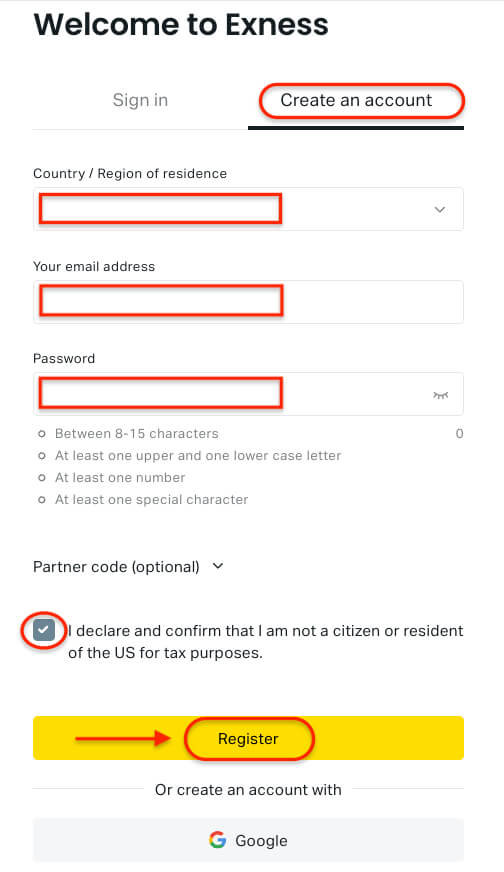
2. Complete the Registration Form
- Select your country of residence. This choice cannot be changed later and determines which payment methods you can use.
- Enter your email address.
- Create a secure password following Exness password requirements.
- Enter a partner code (optional) to link your account to an Exness Partner.
- If the code is invalid, the field will clear so you can try again.
- Tick the box confirming that you are not a U.S. citizen or resident (if applicable).
- Click Register to proceed.
3. Complete Your Exness Account Registration
You have now successfully created your new Exness account and will be directed to Exness Terminal.
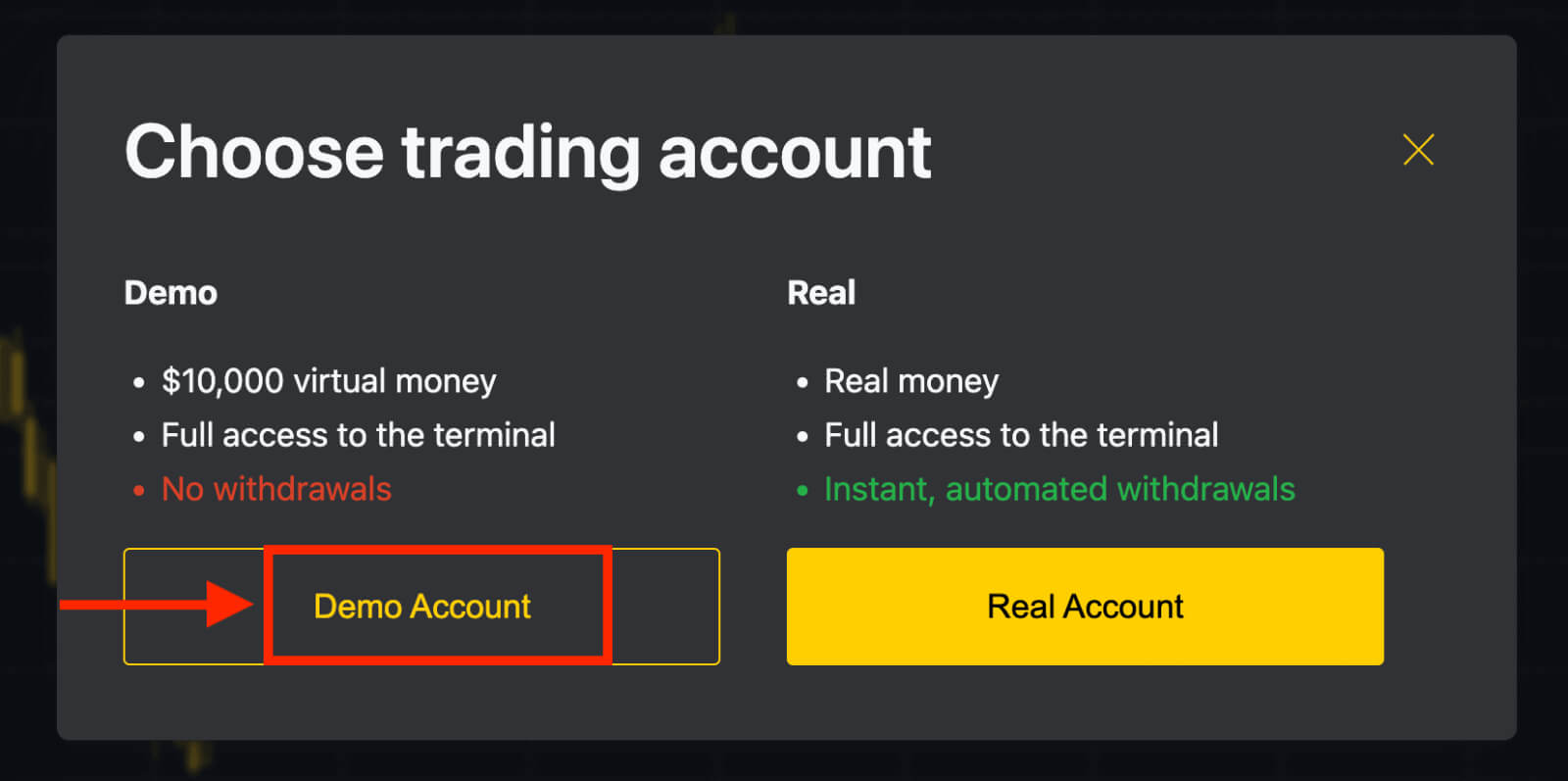
- Click “Demo Account” to start trading with a demo balance.
- Exness instantly provides $10,000 virtual funds in your demo account—no additional registration needed.
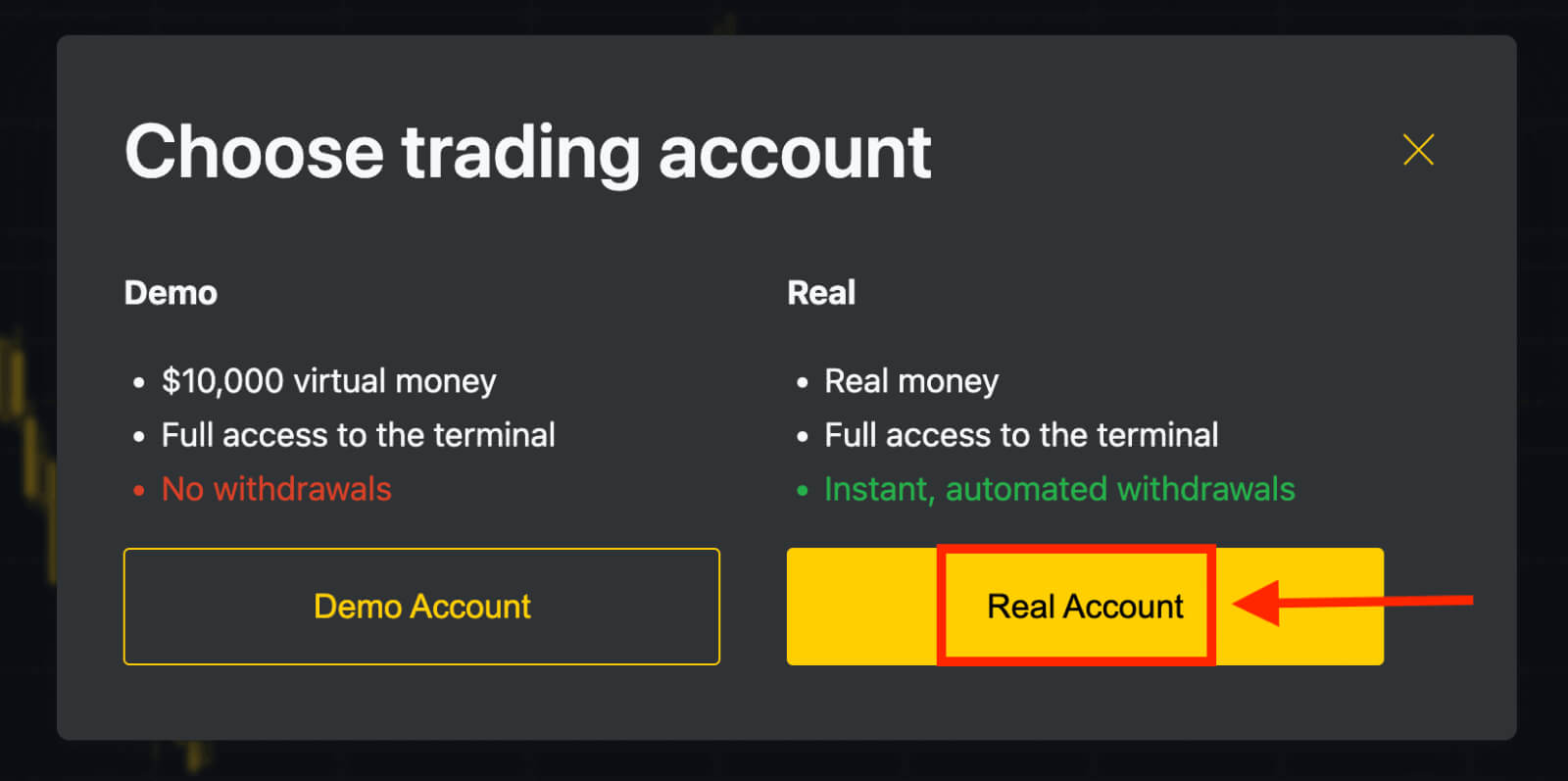
- To trade with real funds, click the yellow “Real Account” button and make your first deposit.
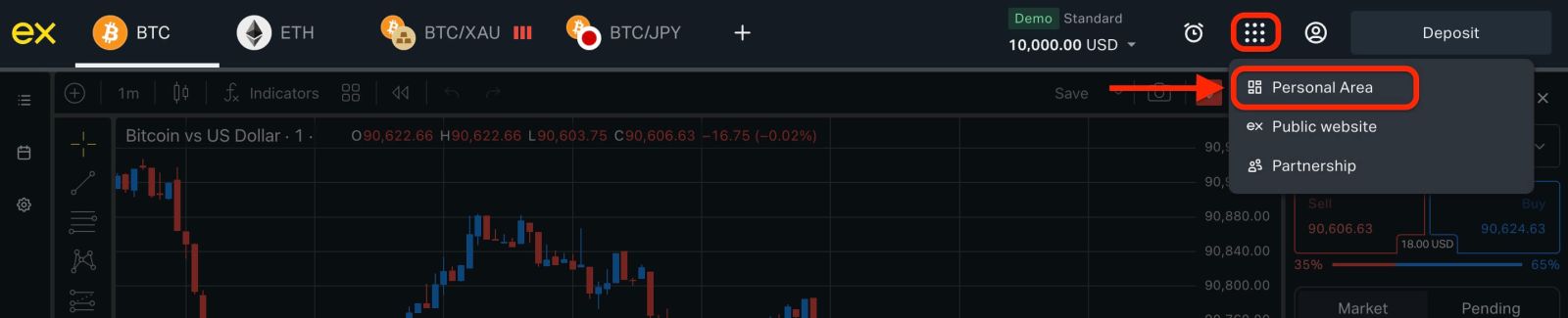
You can open additional trading accounts anytime from the Personal Area.
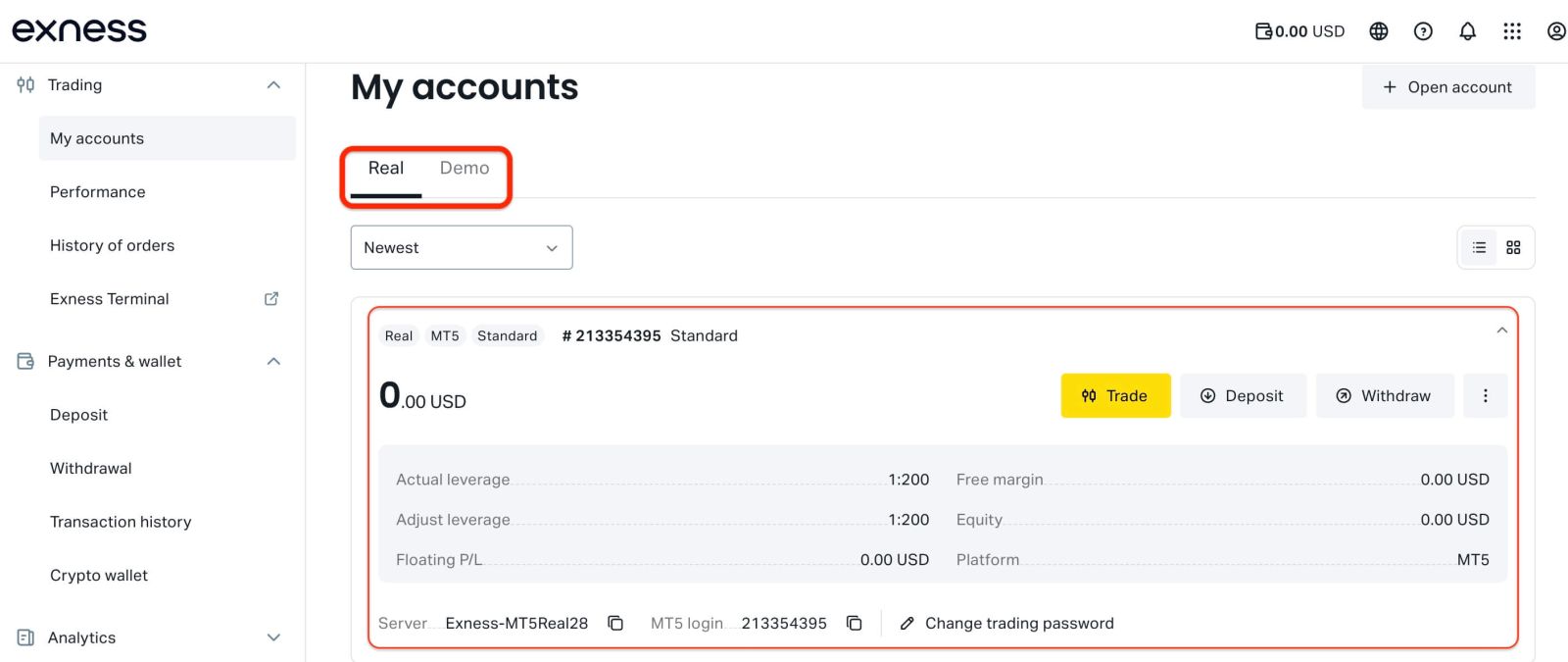
By default, your Personal Area includes:
- One real trading account (MT5)
- One demo trading account (MT5)
Exness registration is available anytime—start immediately and access all trading features faster by completing full Exness account verification.
Create a New Trading Account on Exness (Web)
1. In your Personal Area, click ’Open account’ under the “My accounts” section.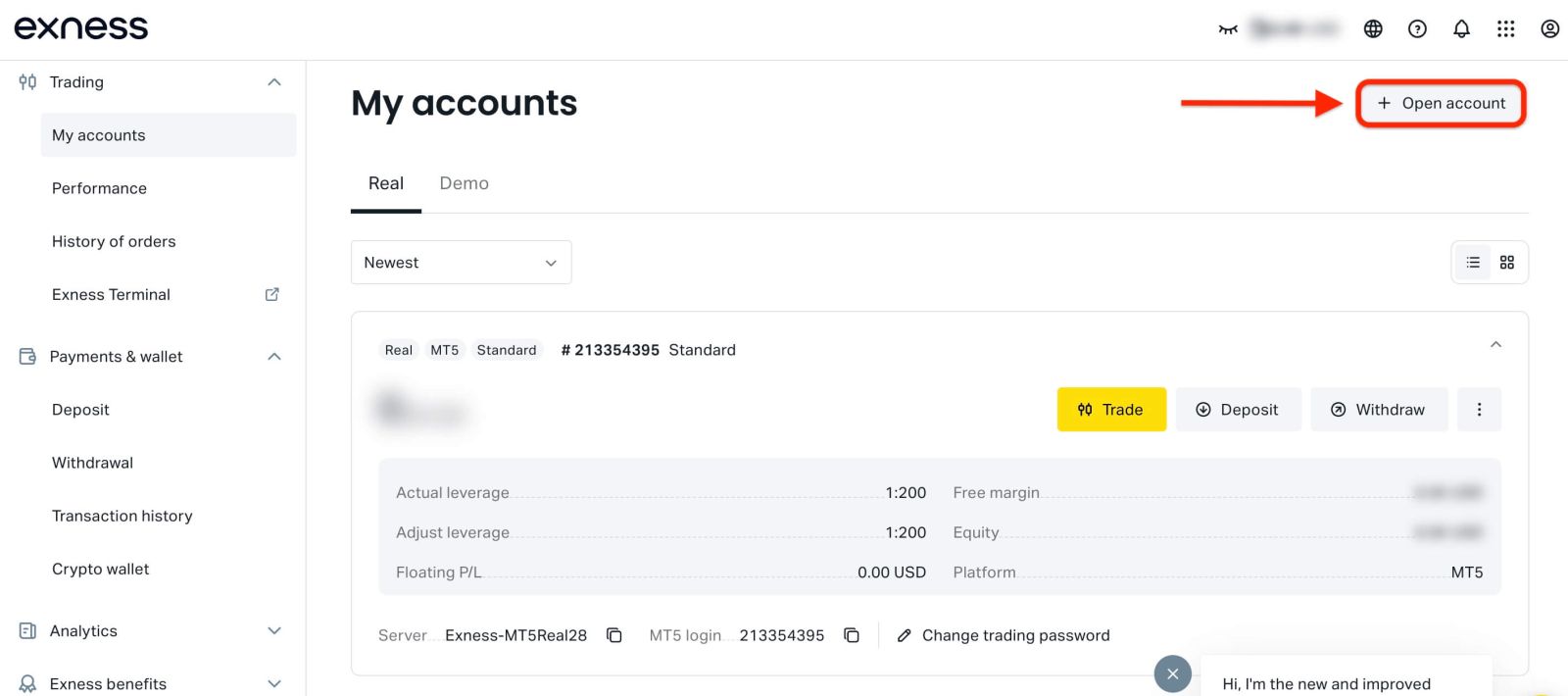
2. Choose your preferred account type.
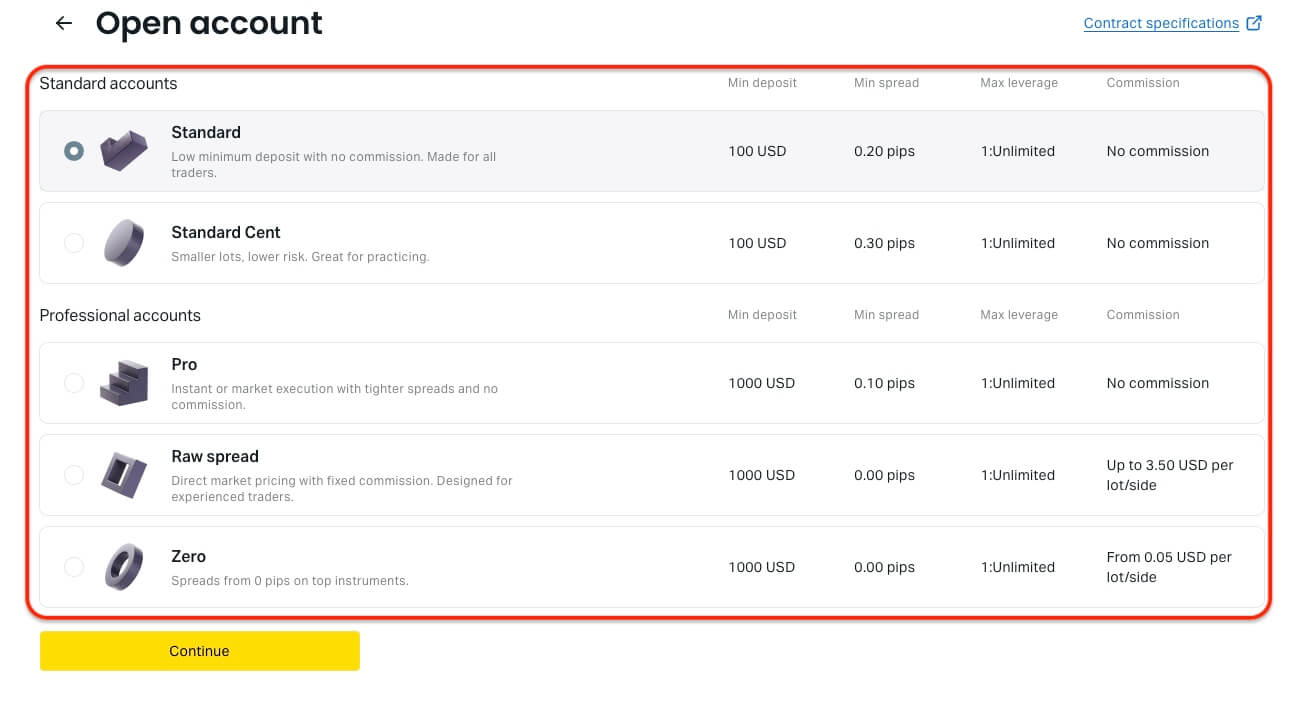
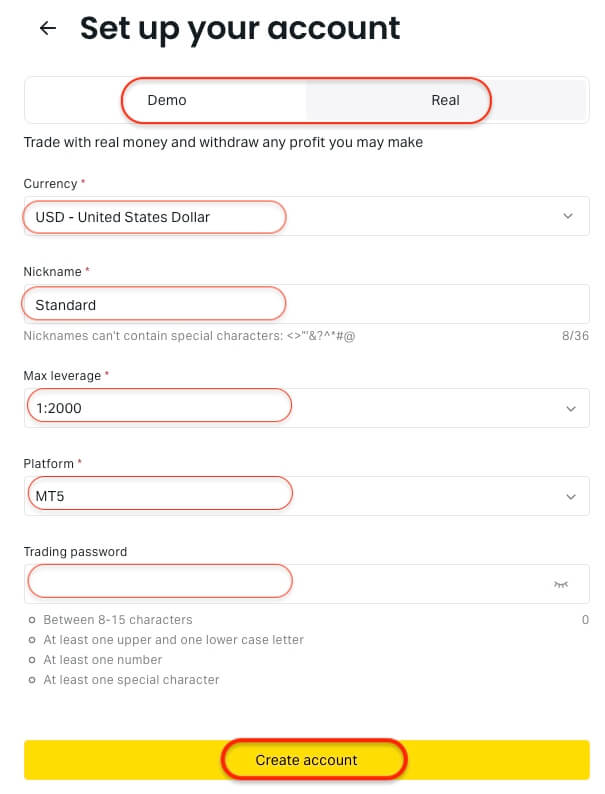
3. Configure your trading account settings:
- Choose Real or Demo
- Choose an account currency (cannot be changed later)
- Create an account nickname
- Set maximum leverage
- Select MT4 or MT5
- Set your trading account password
4. Click Create account to finish.
Your new account will appear in the My accounts tab.
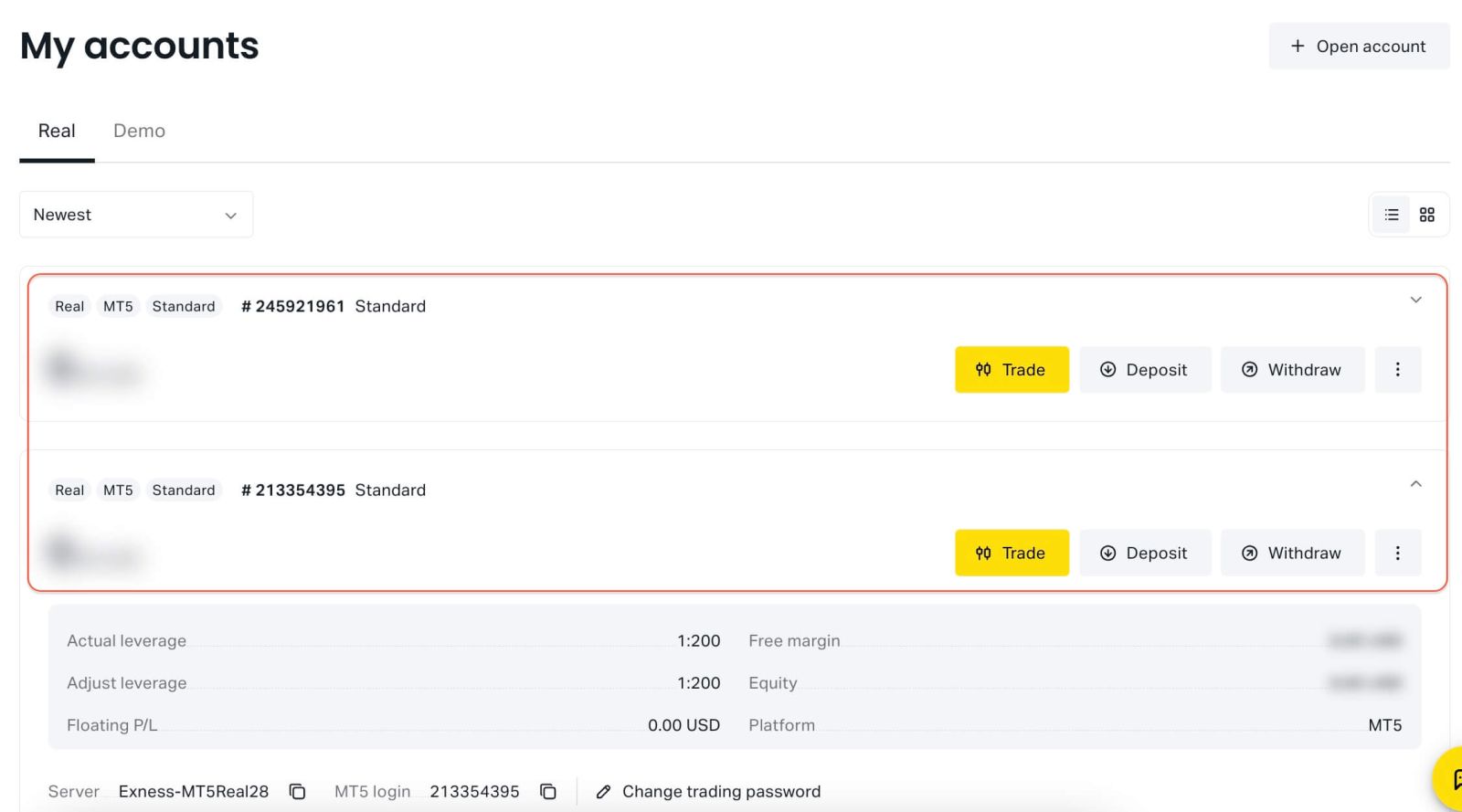
You’ve successfully opened a new Exness trading account.
Exness Registration Guide (App)
Register an Exness Account (App)
1. Download Exness Trade from the App Store or Google Play.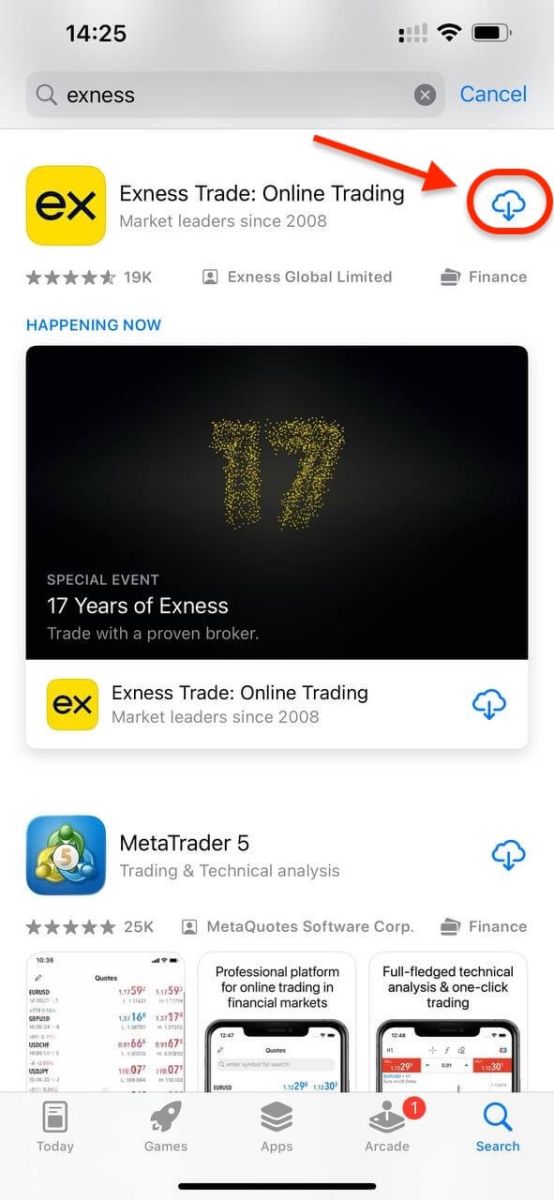
2. Install and load Exness Trade.
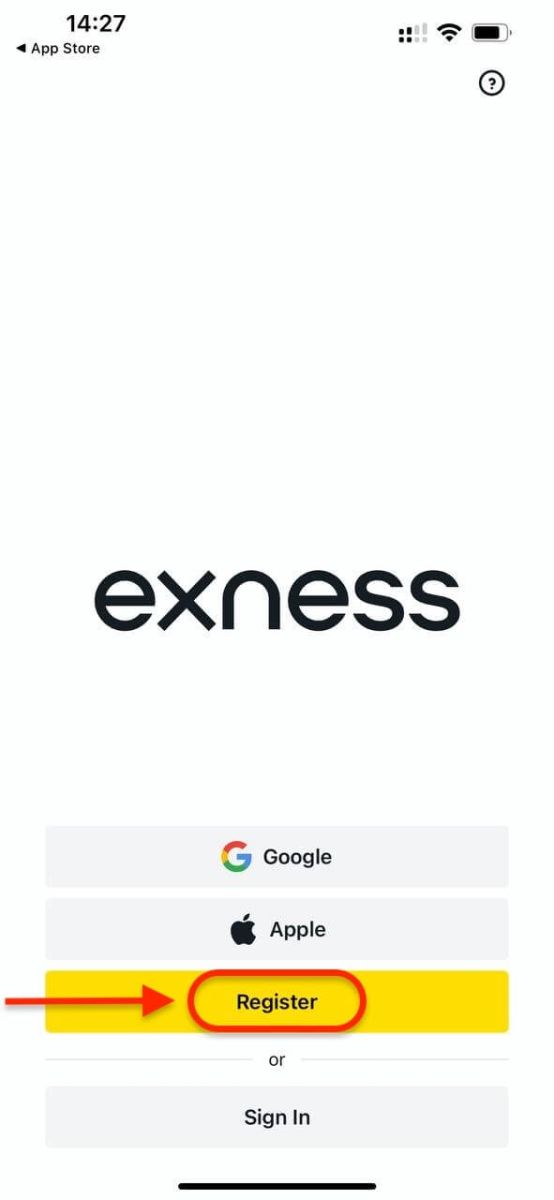
3. Tap Register.
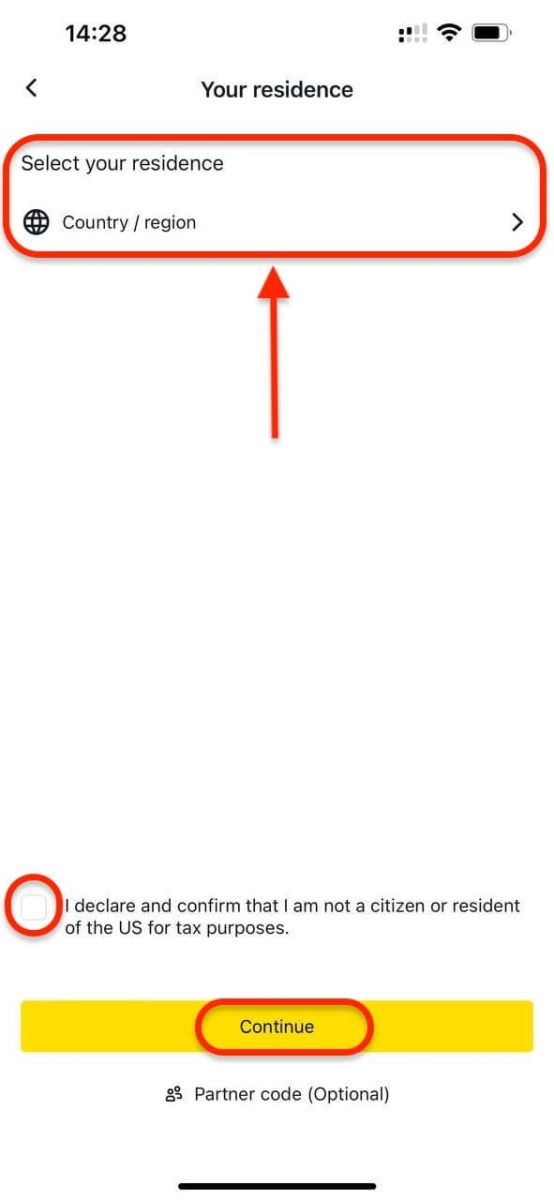
4. Select Country / region to choose your country of residence. Tap Continue.
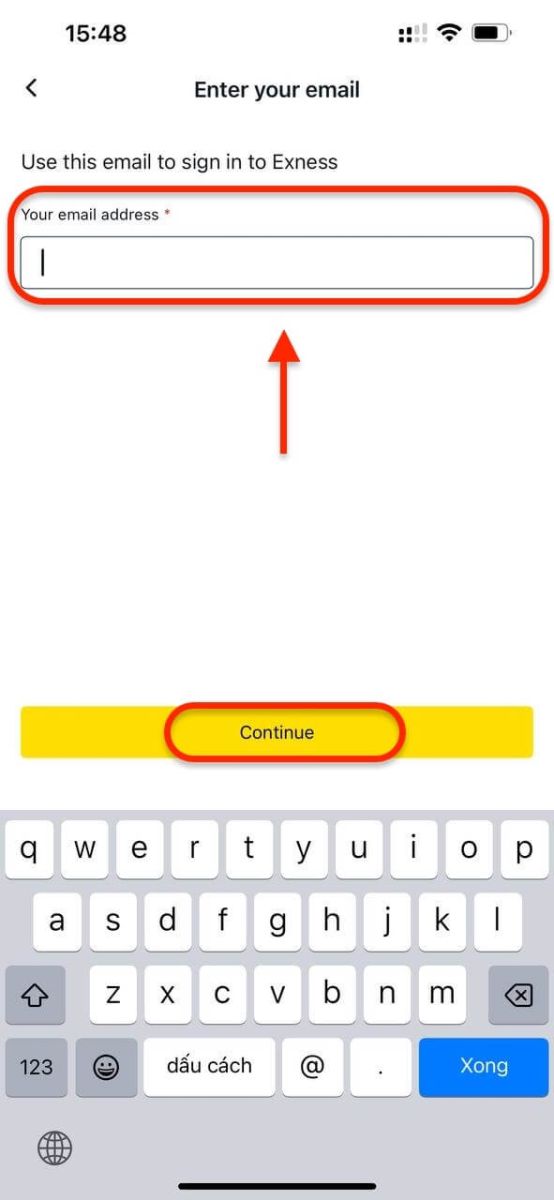
5. Enter your email address and tap Continue.
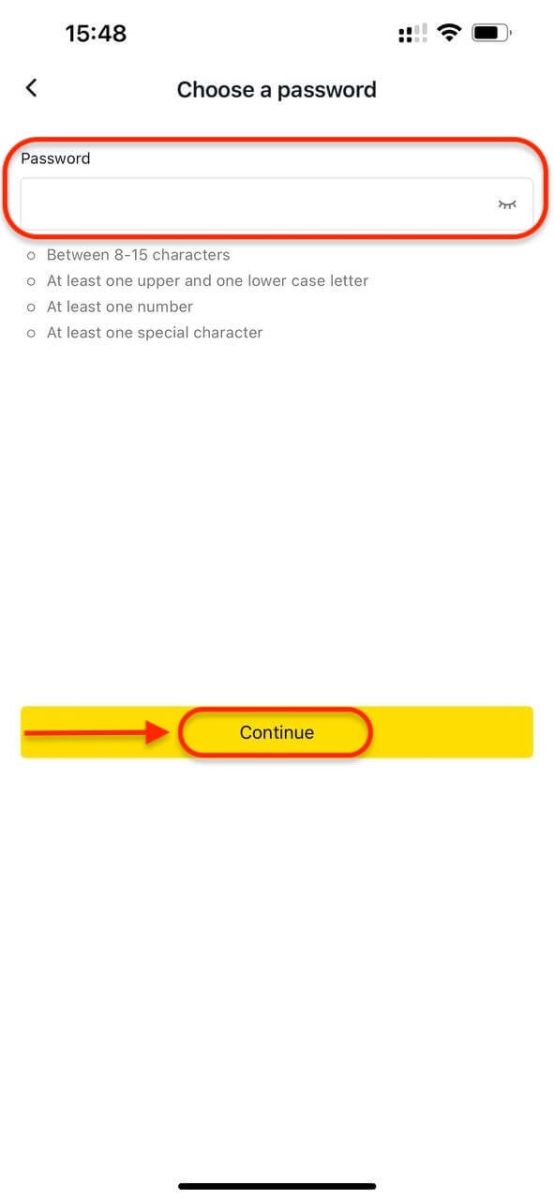
6. Create a password that meets Exness requirements and tap Continue.
7. Create a 6-digit passcode, then confirm it.
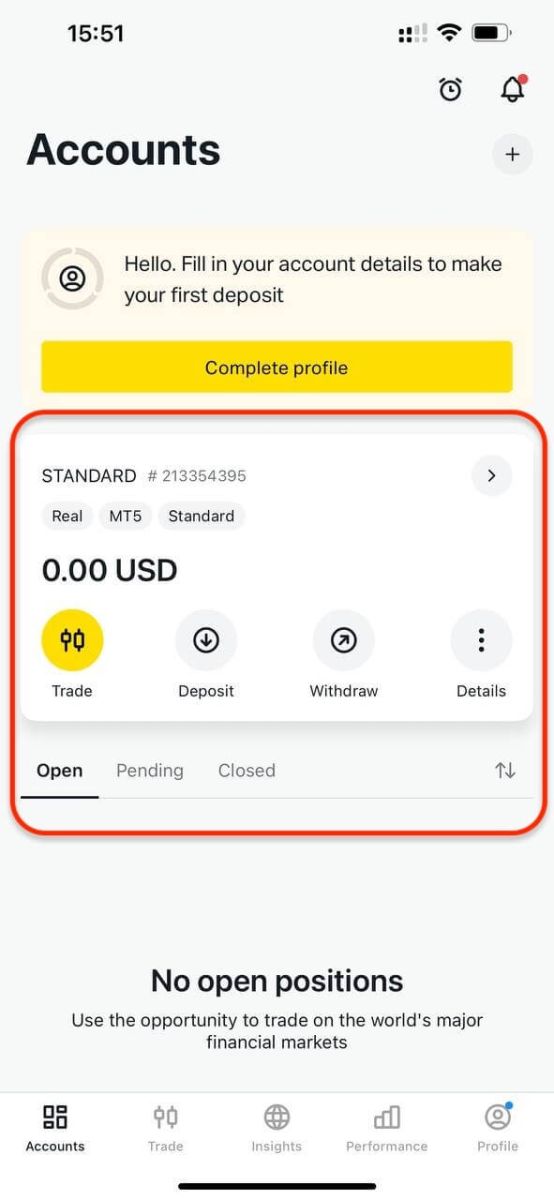
8. You will reach the deposit screen, or you can go back to the main dashboard. Your Exness Trade App is now ready to use.
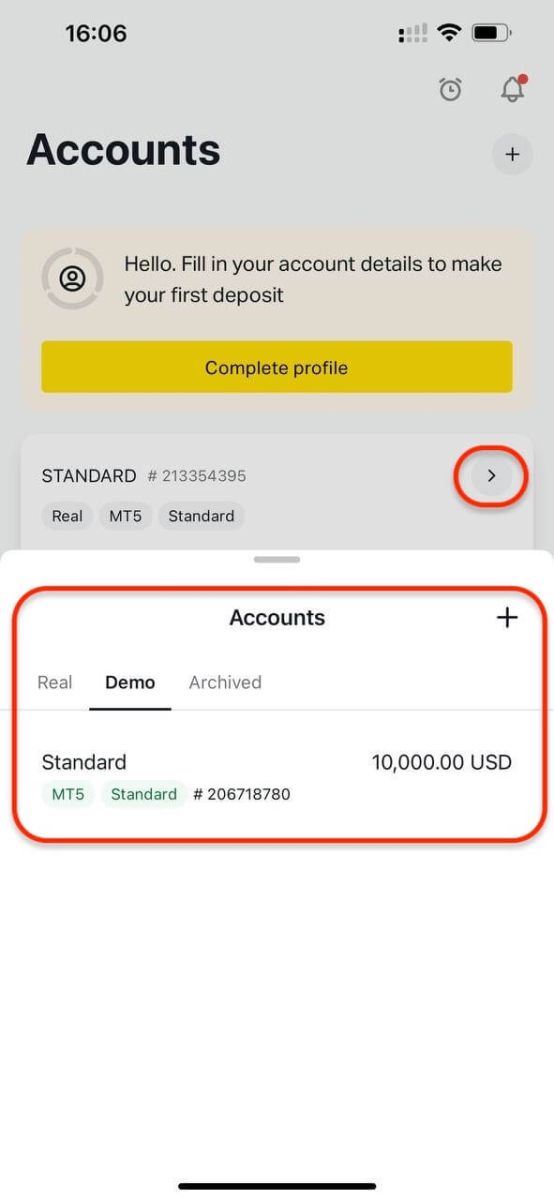
Upon registration, Exness automatically creates: A demo account with $10,000 virtual funds.
Create a New Trading Account on Exness (App)
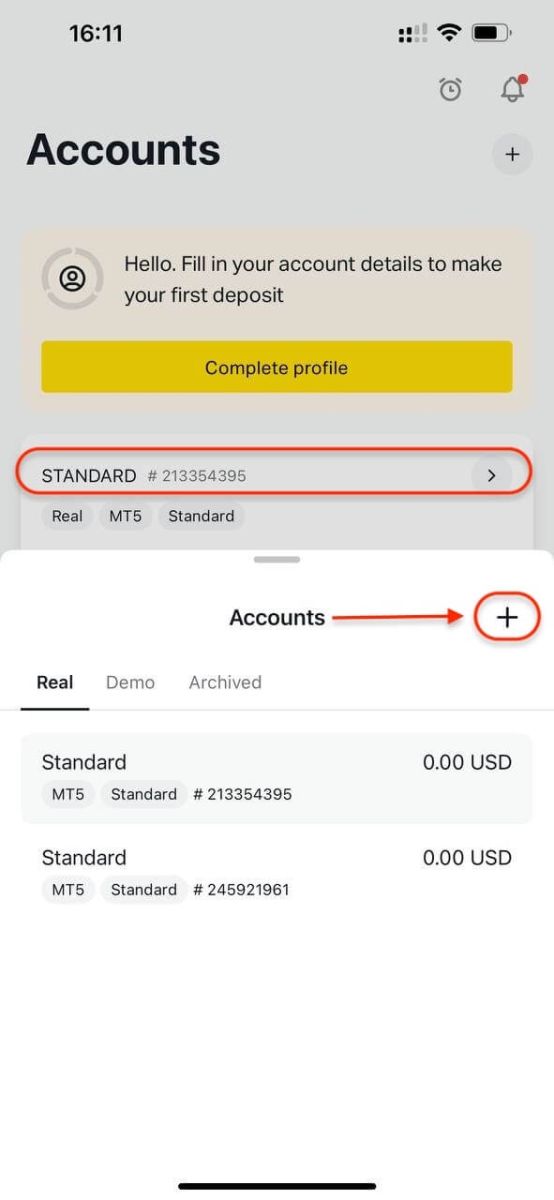
Creating a new account on the Exness Trade App is quick and simple:1. Go to the Accounts section and tap the plus icon (+).
2. Select your preferred account type.
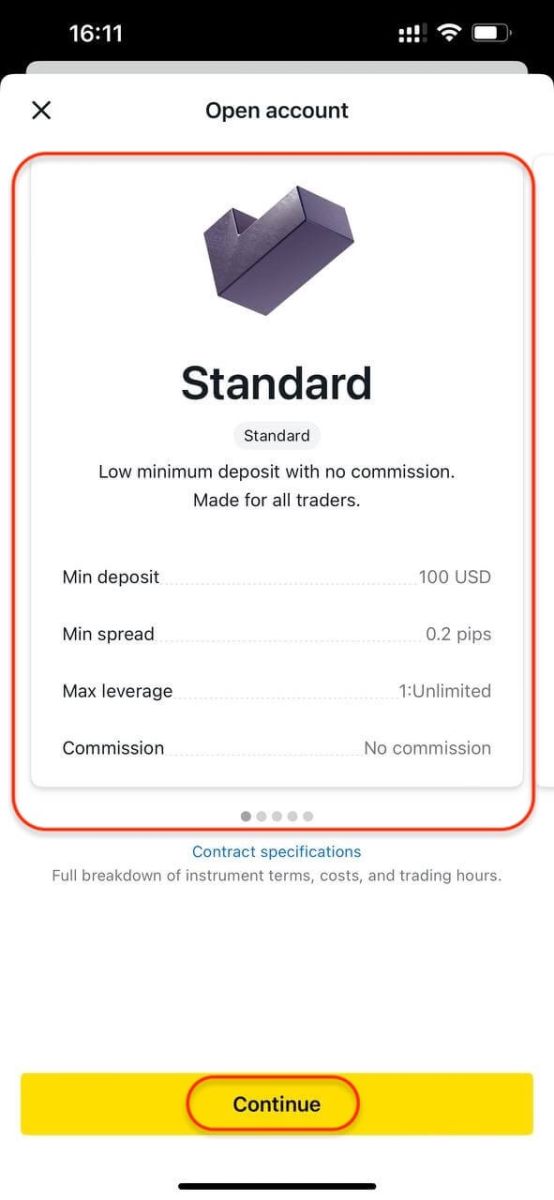
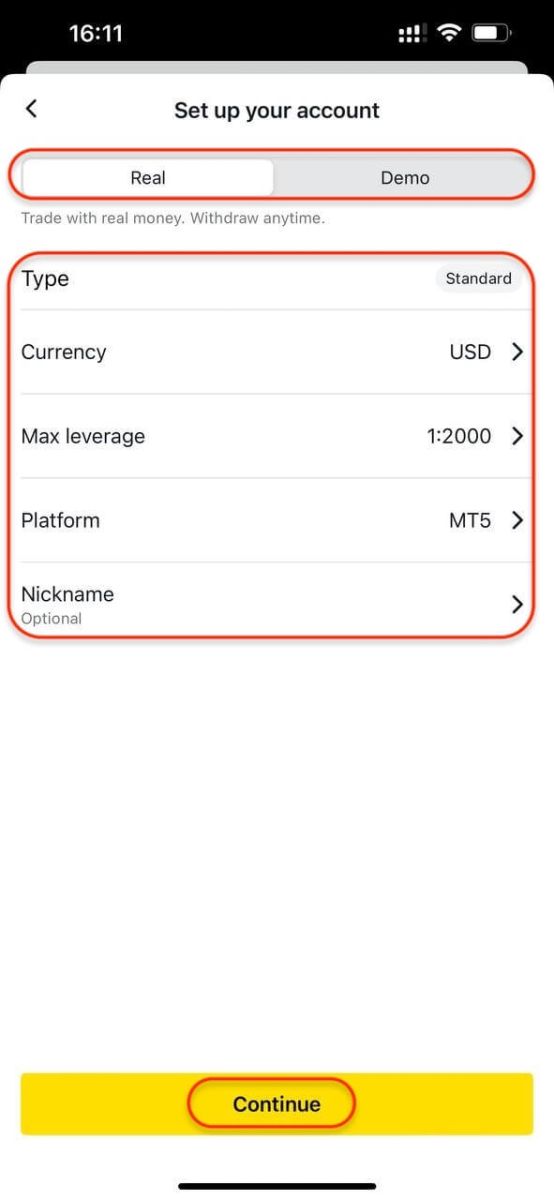
3. Choose New Real Account or New Demo Account, account currency, leverage, MetaTrader 4 (MT4) or MetaTrader 5 (MT5) and account nickname, then tap Continue.
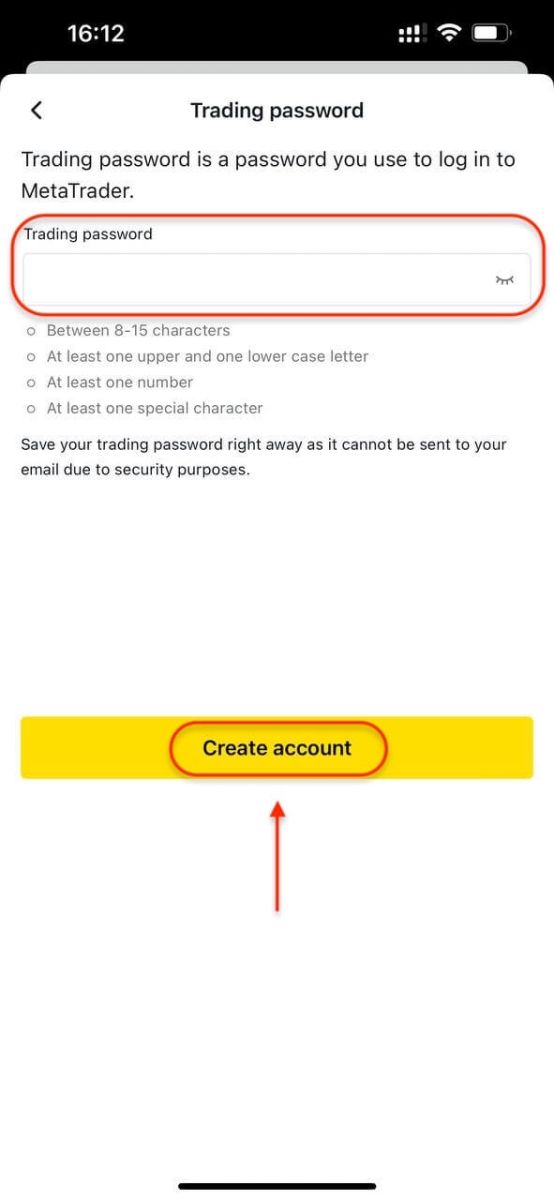
4. Create a trading password, then tap Create Account.
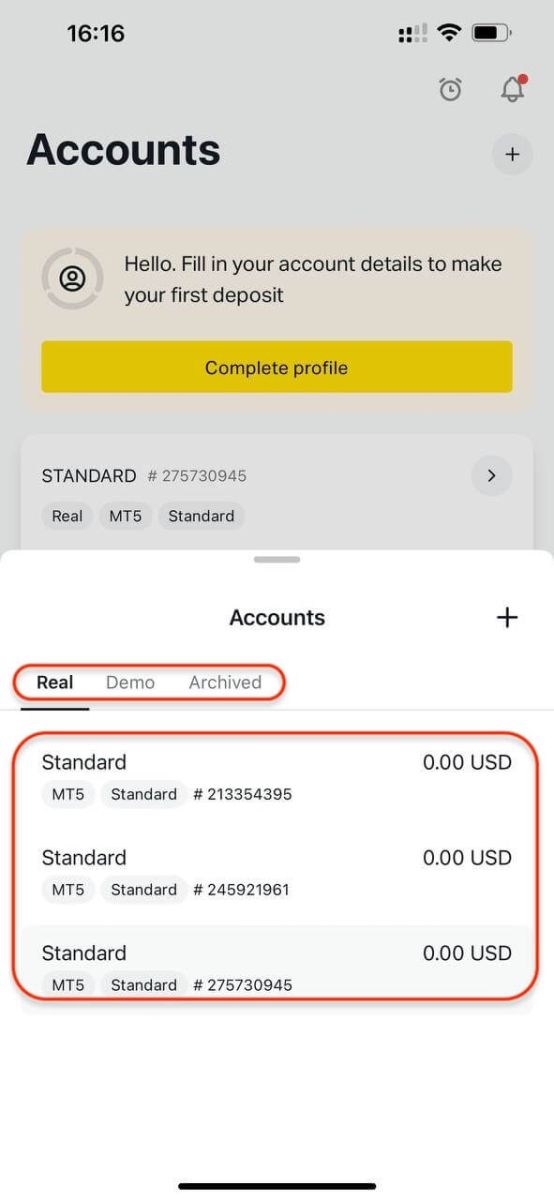
Your new trading account will appear under the Accounts section.
Note:
- Your account currency cannot be changed after setup.
- To edit your account nickname, log in to the web Personal Area.
Conclusion: Start Trading with Confidence on Exness
Registering an account with Exness is a seamless process designed to help both beginners and experienced traders access the global markets without complications. By following the simple steps above—from signing up to completing verification—you can start trading with a broker that prioritizes security, transparency, and user-friendly experiences. FAQs
Log in to your Personal Area and open My Accounts, then select the Demo tab. Choose the demo trading account you want to top up and click Set Balance.
Real trading accounts can be archived manually or are archived automatically after a certain period of inactivity. Inactivity is defined as the lack of trading operations or balance operations.
Exness accounts remain active as long as they are not terminated (either upon request, or by decision of the company).
Standard accounts are suited to new and experienced traders alike. They provide the broadest trading conditions and are designed to be the most accessible account type by offering a full range of trading instruments.
It is not possible to manually change your registered name, but you can contact us to assist you in certain specific cases.
Of all trading account types available, only Zero and Raw Spread trading account types have a trading commission applied. All other trading accounts are commission-free.
There is a limit on all trading account types (excluding Standard Cent) of 100 trading accounts for each account type including MT4 and MT5, as well as real and demo trading accounts per Personal Area (PA). The limit is set at 10 for MT4 and MT5 real trading accounts on Standard Cent accounts.
Keeping your funds secure is very important, so safeguards are put in place to ensure this: Segregation of client funds and Verification of transactions
Log in to your Personal Area (PA), then open the My Accounts tab. You can find your trading account login number by checking the number displayed at the top of the account card, expanding the account card to reveal the MT4/MT5 login, or opening the 3-dot menu and selecting Account Information, where a popup will show the MT4/MT5 login number at the bottom.
The most important information to provide is an active email address and mobile phone number working within your country of residence. With these and your personal information you can register a new Exness account.