Exness Login Guide 2026: How to Access Your Account & Fix Login Issues
Writen By

Forex Trading Execution and Platform Performance Analyst
Analyzes trade execution Systems and platform performance across forex brokers.
Logging in to your Exness account is the first step to accessing your trading dashboard, managing your funds, and executing trades. Whether you’re using the website or mobile app, the process is secure, quick, and designed for convenience.
In this step-by-step guide, you’ll learn how to log in to your Exness account, avoid common login issues, and access your trading tools with ease so you can start managing your investments confidently.
In this step-by-step guide, you’ll learn how to log in to your Exness account, avoid common login issues, and access your trading tools with ease so you can start managing your investments confidently.
Exness Login Process Overview
Exness is a global forex broker regulated by several leading international authorities and trusted by traders around the world. If you’d like to learn more about this broker, check out our in-depth Exness review. Below is a brief overview of the Exness registration process:- Enter the Exness Forex website
- Complete the login form
- Start your Trading with Exness
| Login Requirements | Yes / No |
|---|---|
| Email Login | Yes |
| Phone Number Login | No |
| Google Account Login | Yes |
| Apple ID Login | No |
| Facebook Login | No |
| Username Required | No |
| Password Required | Yes |
| Two-Factor Authentication | Optional |
#1 Visit the Official Exness Forex Website
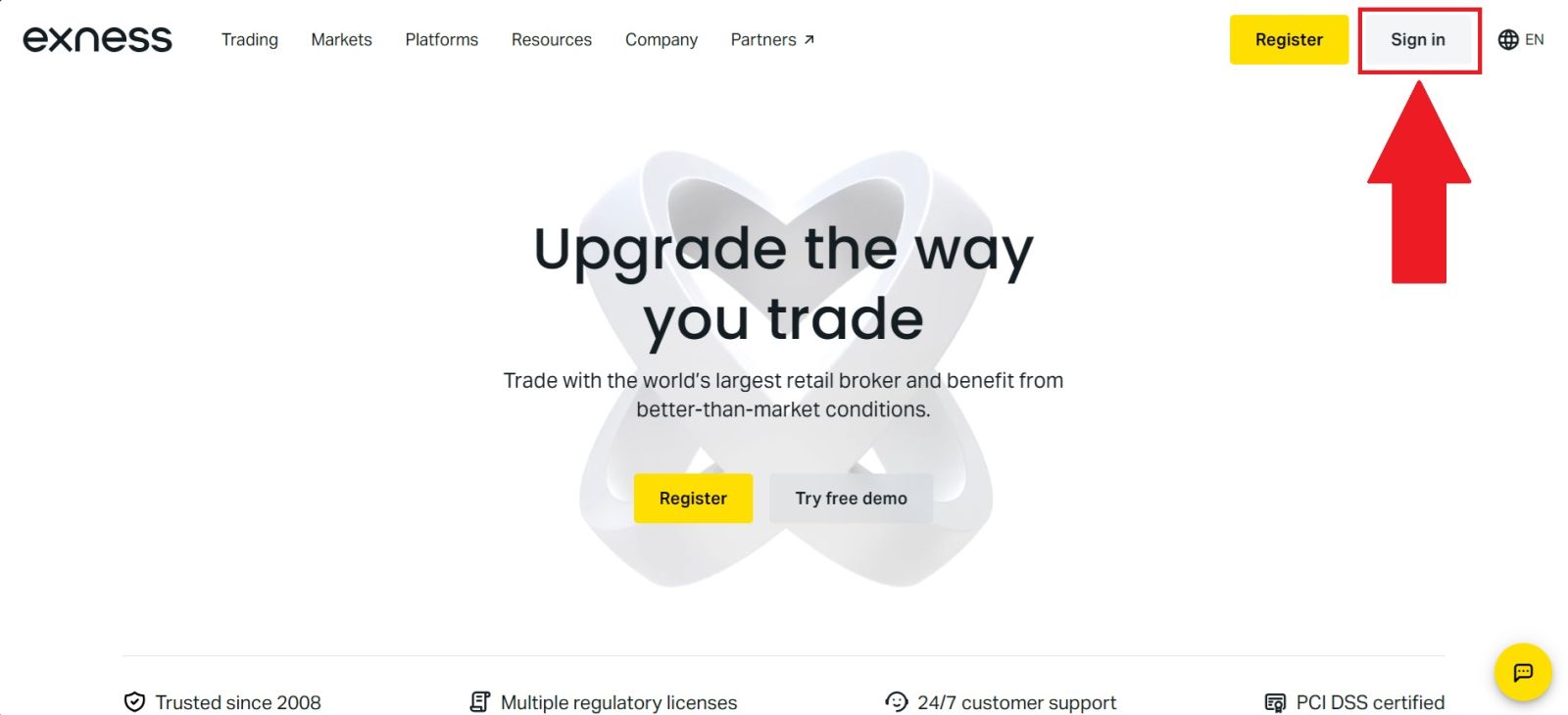
Start by visiting the official Exness website and ensure you are on the correct page to avoid phishing attempts. The Exness website features a clean, user-friendly interface that makes it easy to navigate.From the homepage, click [Sign in] to access the login form.
#2 Enter the Login Form
Enter your registered email address and password into the corresponding fields on the Exness login page, making sure that all information is entered accurately and matches the details you used during registration.
Pay close attention to spelling, capitalisation, and any special characters to avoid login errors or access issues. Once you have confirmed that your credentials are correct, click [Sign in] to securely access your Exness account and proceed to your personal trading dashboard.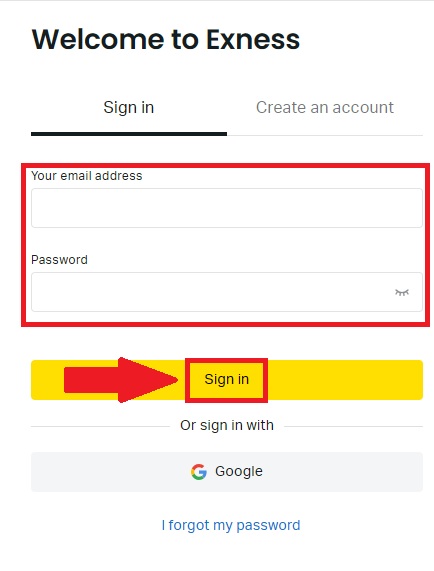
#3 Begin your Trading Journey
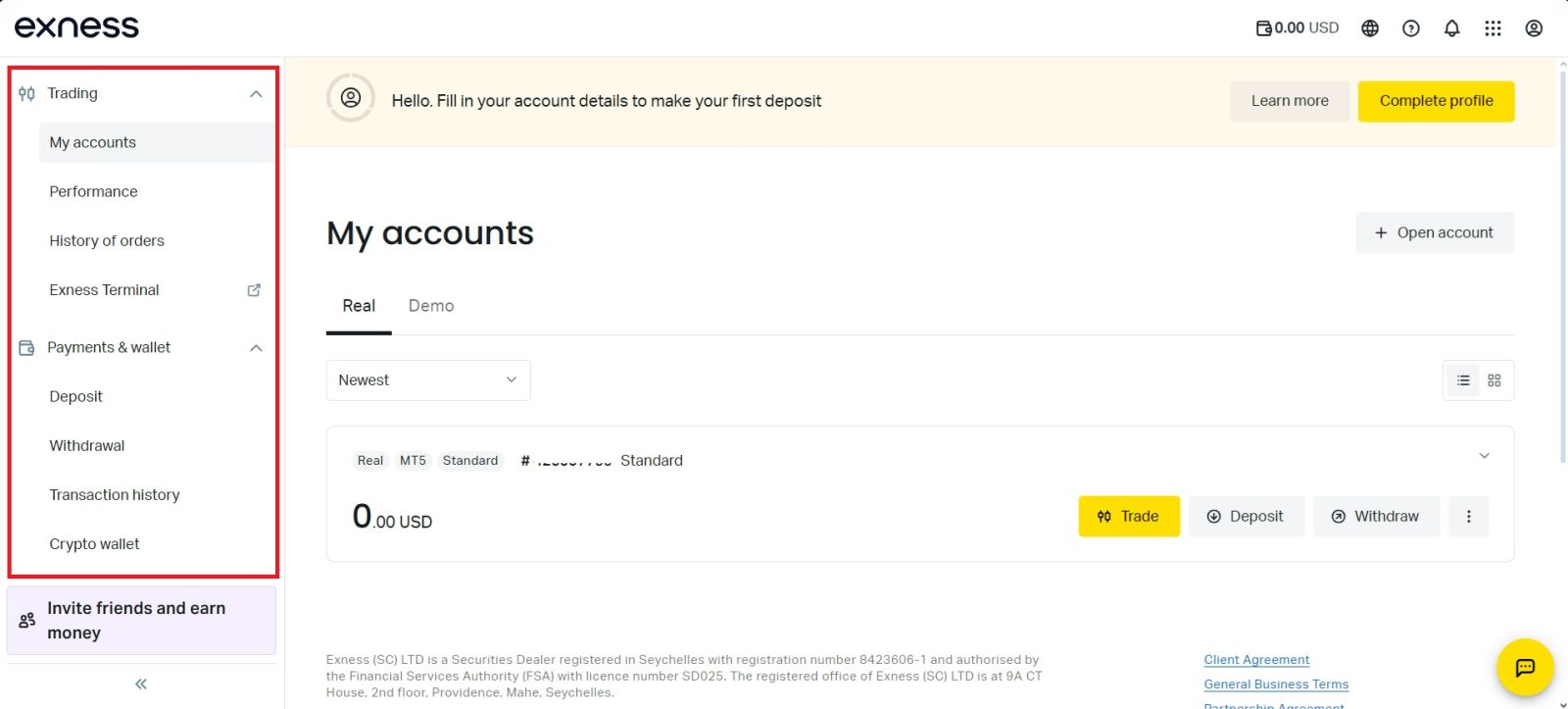
Congratulations! You have successfully logged in to your Exness account using your email credentials.You will now be directed to your personal dashboard, where you can access a wide range of features and tools, including account management options, trading platforms, deposit and withdrawal functions, and other resources to support your trading activities.
Conclusion: Log In to Your Exness Account Securely and Effortlessly
Logging in to your Exness account is a fast and straightforward process that gives you immediate access to your trading environment. By using the correct credentials and ensuring your account is properly secured, you can manage trades, monitor the market, and handle your funds without interruption.To maintain account safety, always protect your login information and enable available security features. With a reliable login system and user-friendly platform, Exness makes it easy to stay in control of your trading at all times.
FAQs
Common reasons include incorrect login details, temporary server issues, or account restrictions due to incomplete verification.
You can reset your password by clicking “Forgot password” on the login page and following the instructions sent to your registered email.
Yes, Exness allows you to log in from multiple devices, but unusual activity may trigger additional security checks.
Yes, Exness provides official mobile apps that allow secure login and account management.
If your account is blocked, contact Exness customer support via live chat or email to verify your identity and restore access.